
12 PICKS. ONE CONTINUOUS UPGRADE PATH.
Best Prebuilt Gaming PCs for Every Budget (2026)
The best prebuilt gaming PC is the one that makes sense for your games, your monitor, and your budget.
Explore 12 curated configurations from $500 to $6,000. Scroll down to see what each step buys you—and where spending more stops being the better choice.
Start the timelineValue at every level.
These are curated hardware picks, selected for the balance of graphics, processing power, memory, and storage at each budget. We compare configurations, not hands-on benchmark results. A higher tier is not automatically the better buy.
The rail shows budget milestones; each card shows its recorded product price. Our recorded price research includes checks from November 10–12, 2026. Match the exact configuration before buying.
New to the terminology? Read gaming PC specs explained, or use our gaming PC finder for a personal starting point.
As an Amazon Associate I earn from qualifying purchases.
Core i7-6700 / Radeon RX 590 8GB
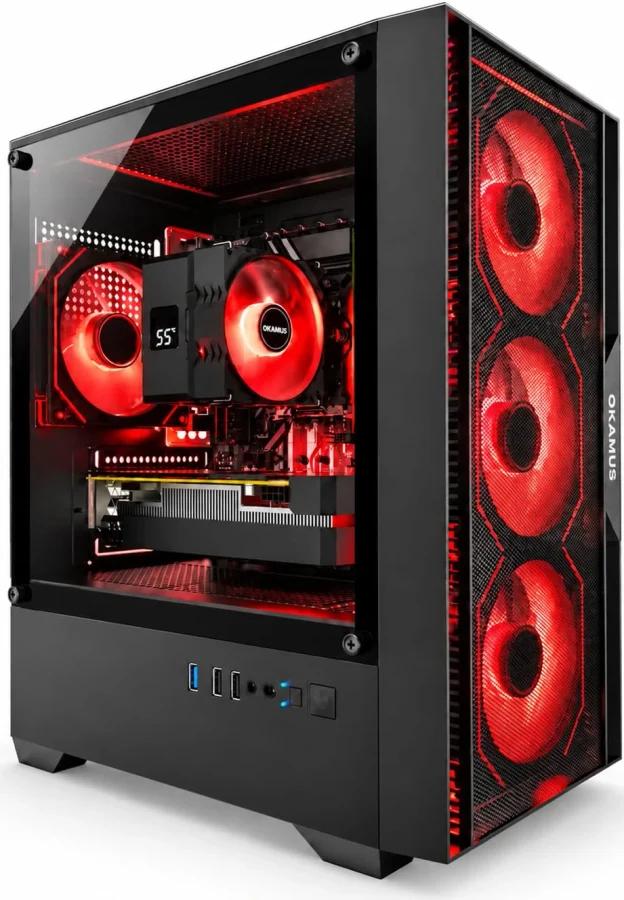
BEST FORA first gaming desktop on a very tight budget.
 Processor
- Intel Core i7-6700
 Graphics
- Radeon RX 590 · 8GB
 Memory
- 16GB RAM
 Storage
- 512GB SSD
Why this one earns its place
At this budget, the graphics card matters more than an impressive-sounding Core i7 badge. The RX 590 gives this pick a more useful gaming foundation than the RX 550 and RX 560 machines in our price comparison.
What to expect
Think older games, lighter titles, and 1080p with settings adjusted to the game. The 16GB of RAM gives everyday apps breathing room, but a 512GB SSD leaves limited space for a large game library.
The trade-off
The i7-6700 dates to 2015 and is absent from Microsoft’s supported Windows 11 CPU list. Do not buy it expecting a long-lived, fully supported modern platform. This is the guide’s most compromised pick.
What the next tier changes
The $750 tier buys a newer six-core CPU, an RTX 2060, and twice the SSD capacity. Save toward it if you can.
Core i5-9400F / GeForce RTX 2060 6GB
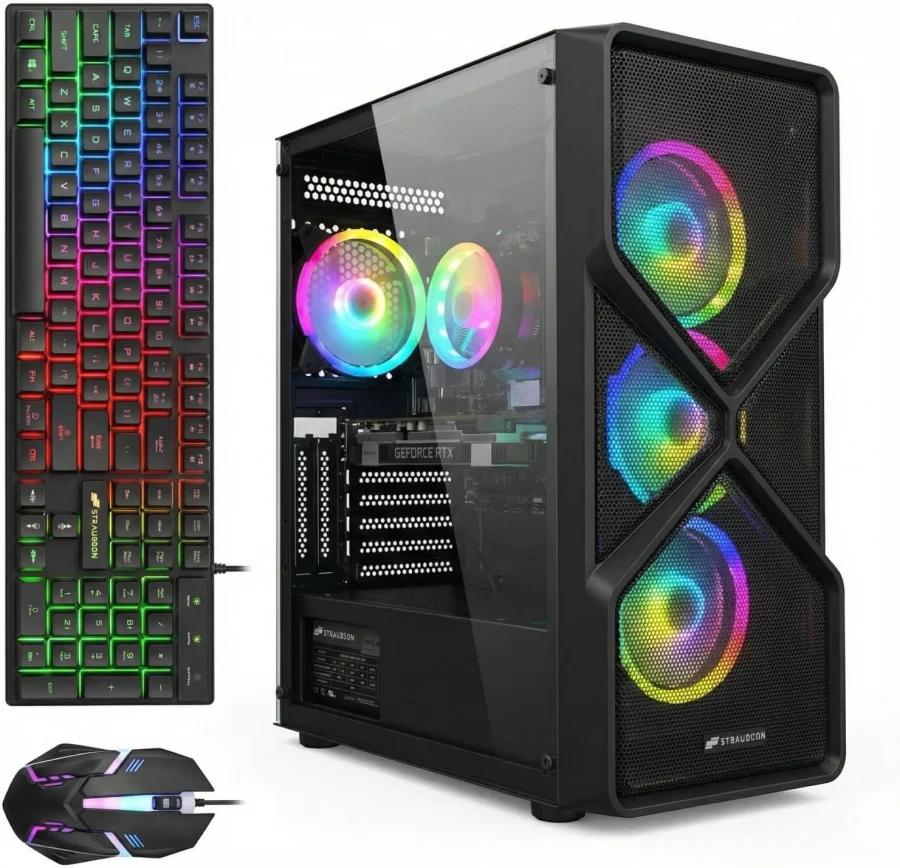
BEST FORBudget players focused on 1080p rather than maximum settings.
- Processor
- Intel Core i5-9400F
- Graphics
- GeForce RTX 2060 · 6GB
- Memory
- 16GB DDR4
- Storage
- 1TB SSD
Why this one earns its place
A named six-core i5-9400F is more informative than a listing that only says Core i7. Paired with the RTX 2060, it makes a more balanced budget gaming configuration than the oldest hardware at the first tier.
What to expect
The 1TB SSD is a welcome step up for installed games. This is a sensible starting point for lighter 1080p play; demanding newer releases will need settings compromises, especially with 6GB of graphics memory.
The trade-off
Both main chips are older. RTX branding does not mean demanding ray-traced games will run well at maximum settings, and this platform offers less runway than a modern CPU pairing.
What the next tier changes
The $1,000 pick directs the extra money toward a much newer graphics card, while retaining an older processor platform.
Ryzen 7 4700LE / GeForce RTX 5060 Ti 8GB
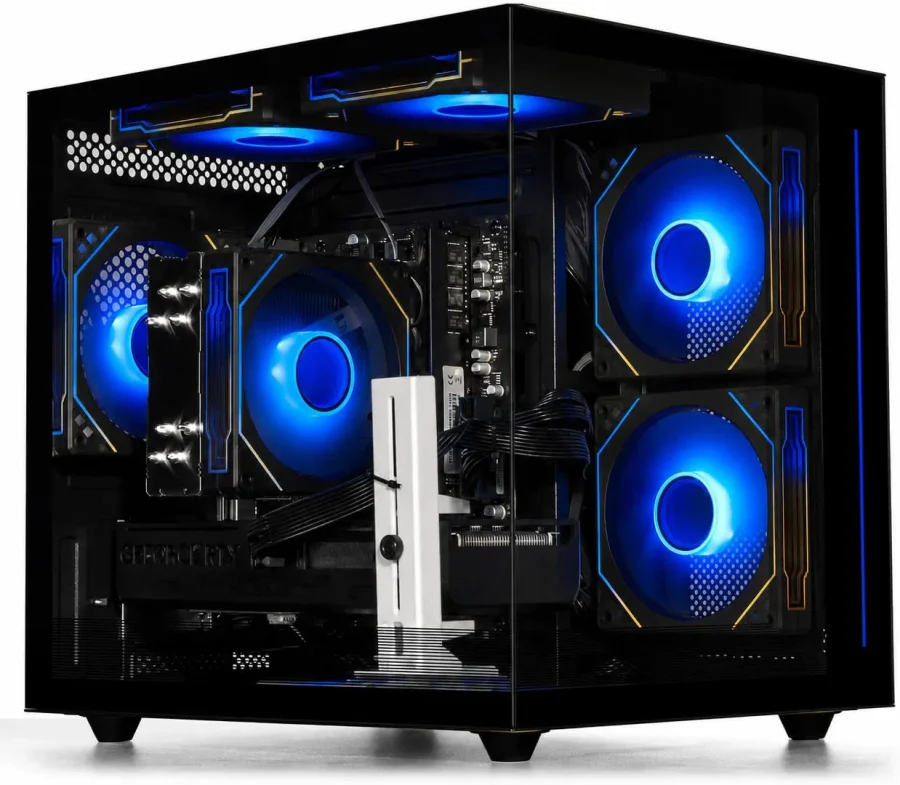
BEST FORShoppers who want newer graphics at a firm $1,000 budget.
- Processor
- AMD Ryzen 7 4700LE
- Graphics
- GeForce RTX 5060 Ti · 8GB
- Memory
- 16GB DDR4
- Storage
- 1TB NVMe SSD
Why this one earns its place
The RTX 5060 Ti is the reason to consider this machine. At the recorded $999.99, our configuration research puts it ahead of similarly priced RTX 4060 and RTX 3050 configurations as a graphics-focused value candidate.
What to expect
Prioritize 1080p gaming, then tune resolution and texture quality to the title. The 1TB NVMe SSD is practical, while the 8GB GPU memory means you should not assume every new game’s highest texture setting is a good fit.
The trade-off
The Ryzen 7 4700LE uses older Zen 2 architecture and PCIe 3.0. CPU-heavy games and high-frame-rate targets can expose that compromise. WIWB is also a less familiar builder; check the seller and warranty terms.
What the next tier changes
The $1,250 KOTIN keeps the same GPU class but spends more on a newer, more balanced processor pairing.
Core i5-14400F / GeForce RTX 5060 Ti 8GB
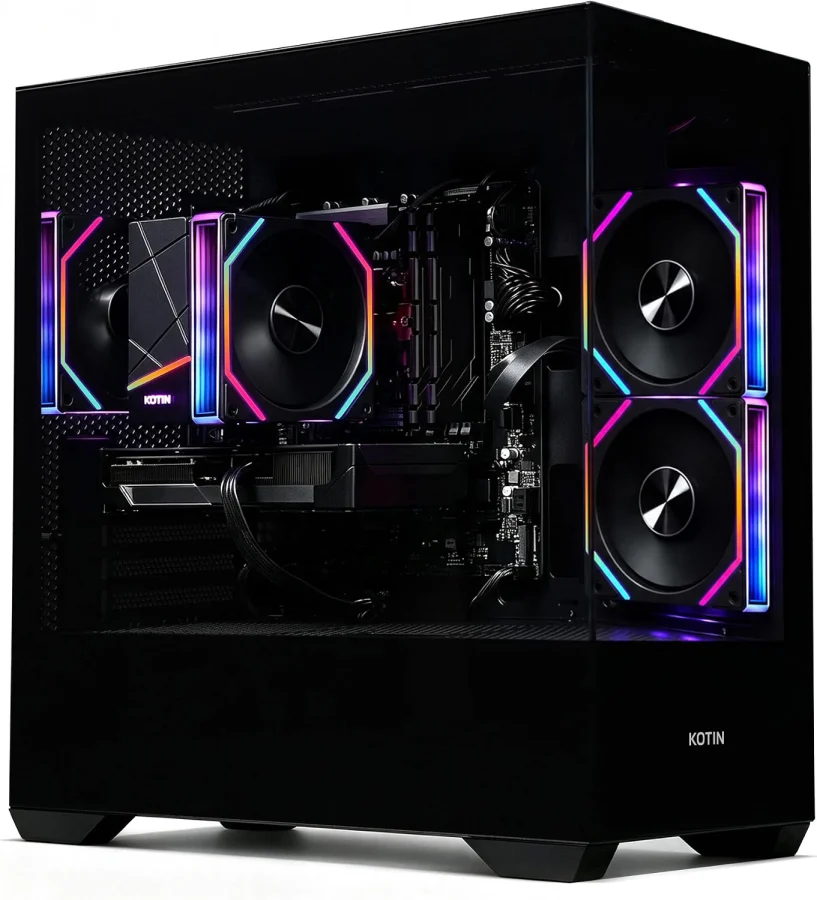
BEST FORPlayers who value a balanced CPU and GPU over the lowest sticker price.
- Processor
- Intel Core i5-14400F
- Graphics
- GeForce RTX 5060 Ti · 8GB
- Memory
- 16GB DDR4
- Storage
- 1TB NVMe SSD
 Power supply
- 650W · 80+ Gold
Why this one earns its place
The i5-14400F is the meaningful upgrade over the $1,000 pick. It is a more modern partner for the RTX 5060 Ti, particularly when the processor has to keep up with demanding games or a high-refresh display.
What to expect
The graphics-memory ceiling stays at 8GB, so this is a platform-balance upgrade rather than a move into a different GPU class. The listing identifies a 650W 80+ Gold supply; efficiency certification alone does not establish the quality of the whole power supply.
The trade-off
You still get 16GB of system RAM and a 1TB SSD. Verify the current Amazon seller and KOTIN’s written warranty before ordering; the shortlist does not establish those terms.
What the next tier changes
The $1,500 recommendation keeps the RTX 5060 Ti but adds DDR5 and doubles SSD capacity to 2TB.
Core Ultra 5 225F / GeForce RTX 5060 Ti 8GBModel GXiVR8060A35
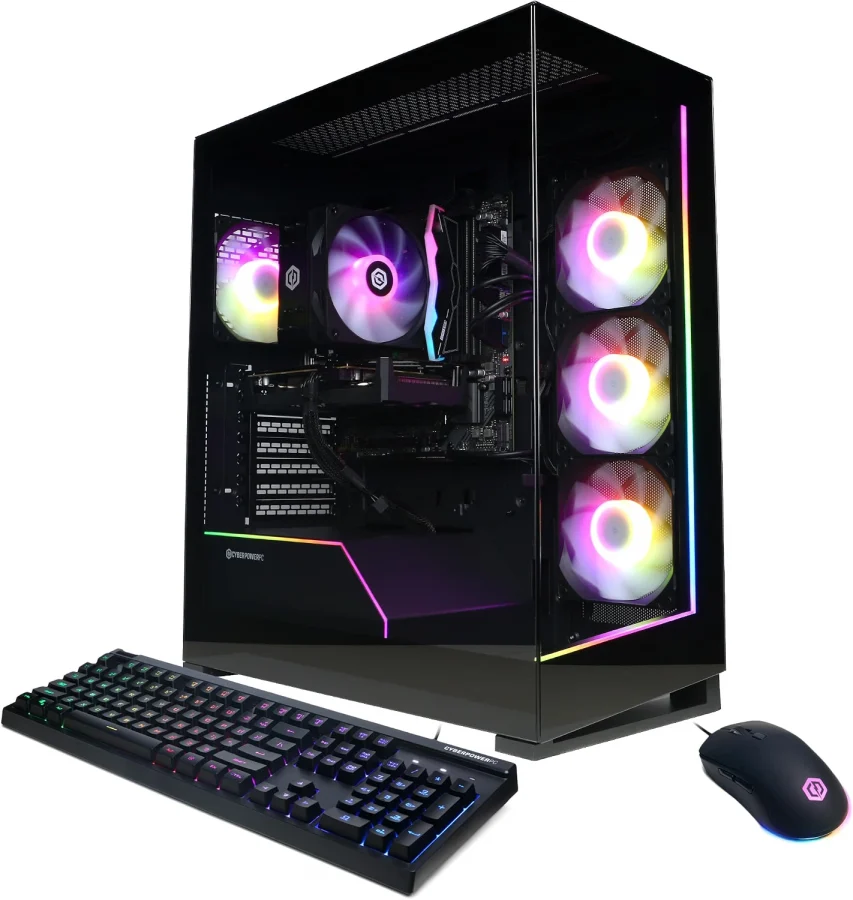
BEST FORPlayers who want a complete modern package and more room for games.
- Processor
- Intel Core Ultra 5 225F
- Graphics
- GeForce RTX 5060 Ti · 8GB
- Memory
- 16GB DDR5
- Storage
- 2TB PCIe 4.0 NVMe SSD
Why this one earns its place
This pick earns its place through the overall package: a Core Ultra 5 processor, DDR5 memory, and a particularly useful 2TB PCIe 4.0 SSD. At the recorded $1,422.00, it leaves room below the $1,500 milestone.
What to expect
You stay in the RTX 5060 Ti 8GB graphics class found in the previous two tiers. The larger SSD means fewer decisions about which games to uninstall; it does not make the GPU faster.
The trade-off
System memory is still 16GB, and the 8GB graphics-memory limit remains. Choose this for its balance and capacity, rather than expecting a major graphics upgrade from the $1,250 model.
What the next tier changes
The $2,000 Skytech changes the graphics equation with a Radeon RX 9070 XT 16GB and 32GB of system memory.
Core Ultra 7 265F / Radeon RX 9070 XT 16GB
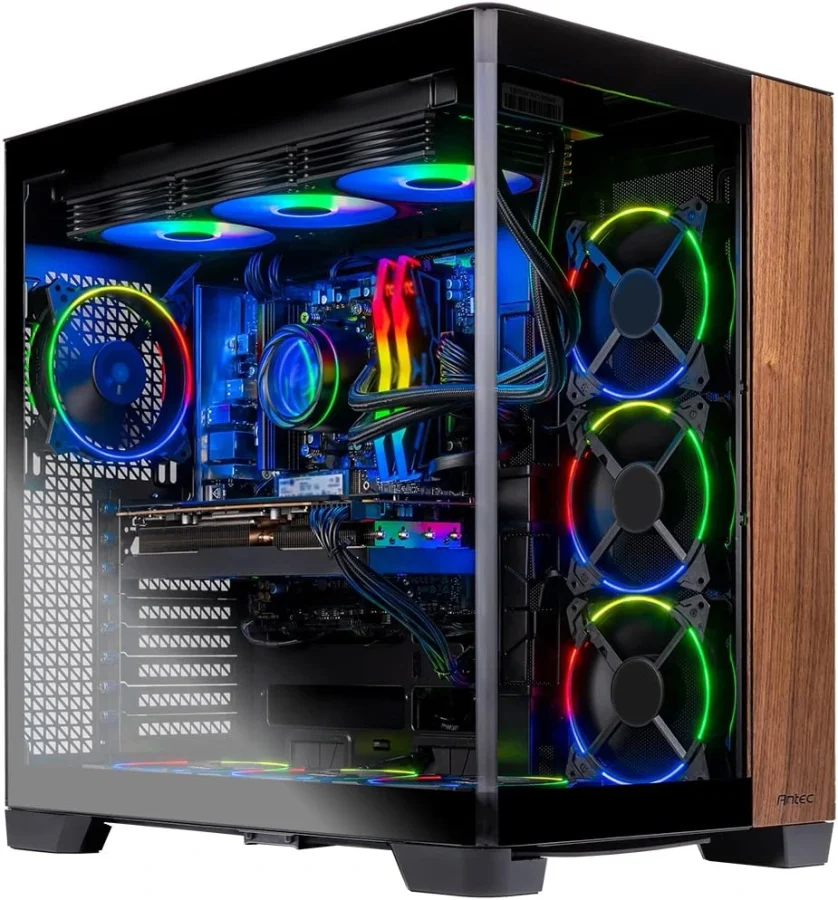
BEST FORGamers moving to demanding 1440p play or exploring 4K.
- Processor
- Intel Core Ultra 7 265F
- Graphics
- Radeon RX 9070 XT · 16GB
- Memory
- 32GB DDR5-6000
- Storage
- 1TB Gen4 NVMe SSD
- Power supply
- 850W Gold · ATX 3
 Cooling
- 360mm liquid cooler
Why this one earns its place
This is a substantial shift in the configuration: an RX 9070 XT with 16GB of graphics memory, 32GB of DDR5-6000, and a capable Core Ultra 7. The recorded price makes the hardware mix especially appealing beside the lower tiers.
What to expect
The GPU is better suited to demanding 1440p and 4K workloads than the lower-tier picks. Actual results depend on the game, settings, and ray tracing; choose those around your monitor rather than assuming every preset will suit it.
The trade-off
The SSD drops back to 1TB. If you install several large games, the $1,500 CyberPowerPC actually offers more storage. The 360mm liquid cooler also adds a pump to the system’s cooling hardware.
What the next tier changes
The $2,500 AORUS moves to an RTX 5070 Ti and restores 2TB of storage. The extra spend should match a specific preference, not just a bigger budget.
Ryzen 7 9700X / GeForce RTX 5070 Ti 16GB
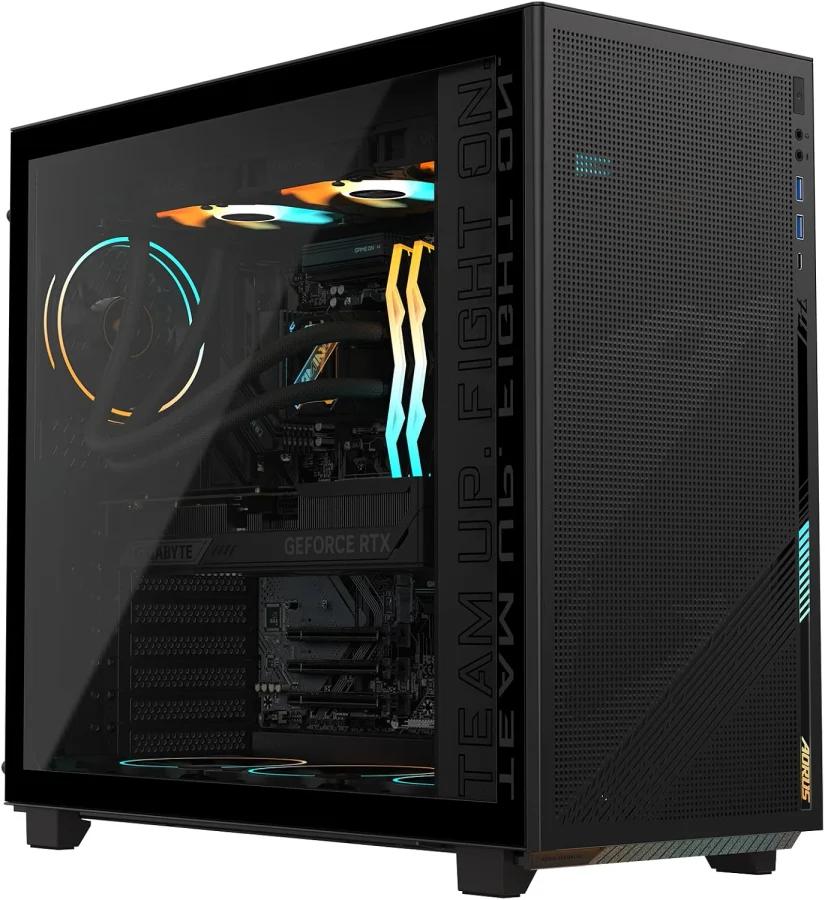
BEST FORPlayers seeking an RTX 5070 Ti with balanced supporting hardware.
- Processor
- AMD Ryzen 7 9700X
- Graphics
- GeForce RTX 5070 Ti · 16GB
- Memory
- 32GB DDR5
- Storage
- 2TB Gen4 NVMe SSD
- Cooling
- 360mm liquid cooler
Why this one earns its place
The RTX 5070 Ti and its 16GB of graphics memory are the draw. A modern eight-core Ryzen 7 9700X, 32GB RAM, and a 2TB SSD round out a package that does not depend on the GPU name alone.
What to expect
This configuration targets demanding 1440p gaming and can be considered for 4K with settings chosen for the game. The 2TB drive gives a larger library more breathing room than the 1TB Skytech at the previous tier.
The trade-off
Spending more on the next pick keeps the same GPU class. If graphics are your main constraint, the 9700X may already be the more sensible balance for your budget.
What the next tier changes
The $3,000 Gamer Supreme mainly improves the CPU with a Ryzen 7 9800X3D. That is most relevant to CPU-heavy games and high-refresh targets.
Ryzen 7 9800X3D / GeForce RTX 5070 Ti 16GBModel SLC8480A9
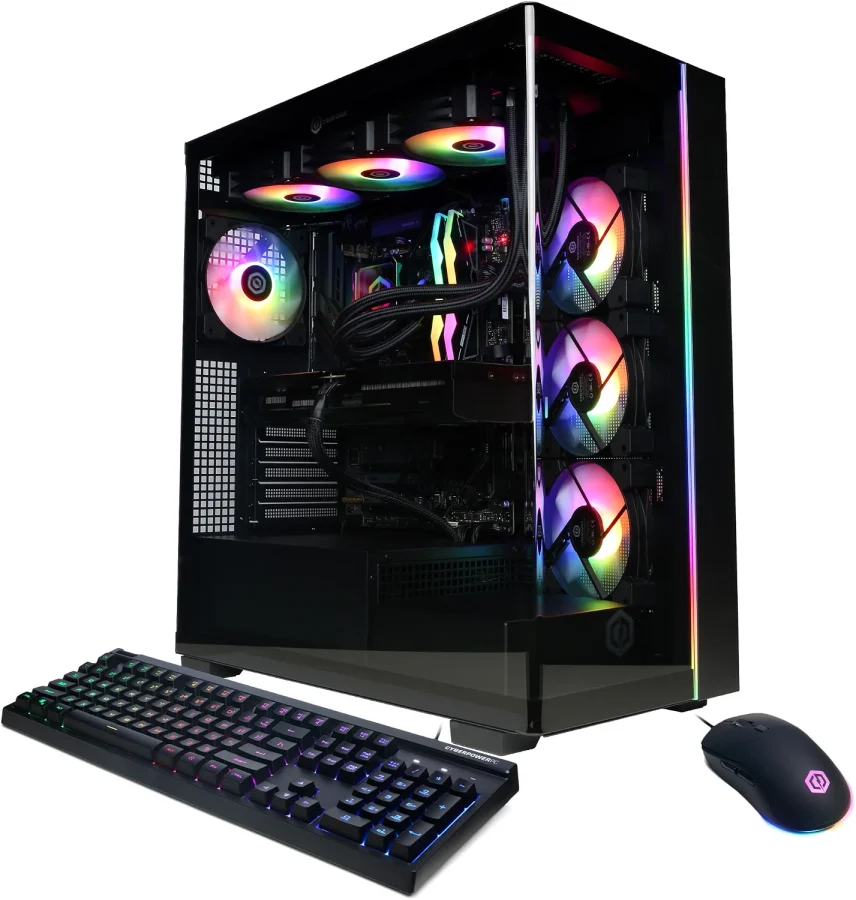
BEST FORCompetitive players and fans of processor-intensive games.
- Processor
- AMD Ryzen 7 9800X3D
- Graphics
- GeForce RTX 5070 Ti · 16GB
- Memory
- 32GB DDR5
- Storage
- 2TB PCIe 4.0 SSD
Why this one earns its place
The Ryzen 7 9800X3D makes this the more gaming-focused CPU pairing of the two RTX 5070 Ti picks. Its extra cache can help in games that benefit from it, rather than simply adding more cores that a game may not use.
What to expect
The benefit is most relevant when your game is CPU-limited or you are chasing high frame rates. At demanding GPU-limited settings, the RTX 5070 Ti is still the same graphics class as the $2,500 pick.
The trade-off
The recorded $349.99 increase over the AORUS does not buy a faster GPU, more RAM, or more SSD capacity. A 4K-focused buyer should consider whether the next graphics tier is a better use of the money.
What the next tier changes
The $3,500 Azure 3 moves to an RTX 5080, but gives up half this machine’s SSD capacity.
Ryzen 7 7800X3D / GeForce RTX 5080 16GB
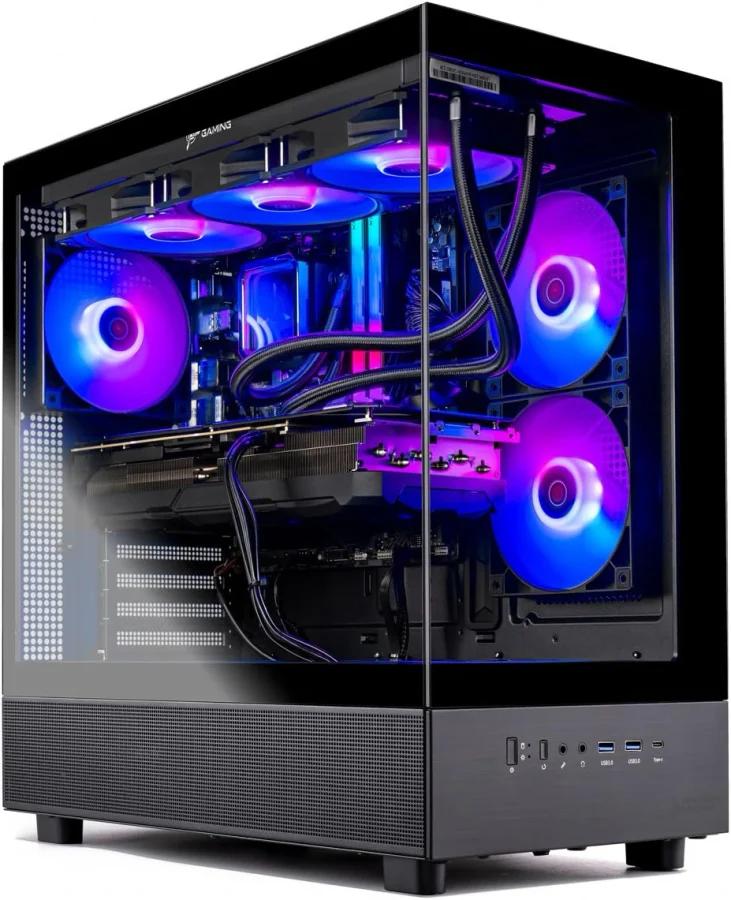
BEST FORBuyers prioritizing high-end graphics over extra storage.
- Processor
- AMD Ryzen 7 7800X3D
- Graphics
- GeForce RTX 5080 · 16GB
- Memory
- 32GB DDR5-6000
- Storage
- 1TB NVMe SSD
- Power supply
- 850W Gold
- Cooling
- 360mm AIO
Why this one earns its place
This is the first RTX 5080 configuration in the guide. Pairing it with a Ryzen 7 7800X3D keeps the focus on gaming, while 32GB of DDR5-6000 provides a useful baseline for gaming alongside everyday apps.
What to expect
Demanding 1440p and 4K gaming are the intended use cases. The GPU upgrade matters more than a newer CPU in workloads where the graphics card sets the limit; results still vary by title and settings.
The trade-off
Only 1TB of storage is disappointing at the recorded $3,199.99. The 7800X3D is also an earlier generation than the 9800X3D in the preceding pick, so this is not an upgrade in every component.
What the next tier changes
Another $450 at the recorded prices buys the Phantom’s 9800X3D and 2TB SSD, while keeping an RTX 5080.
Ryzen 7 9800X3D / GeForce RTX 5080 16GB
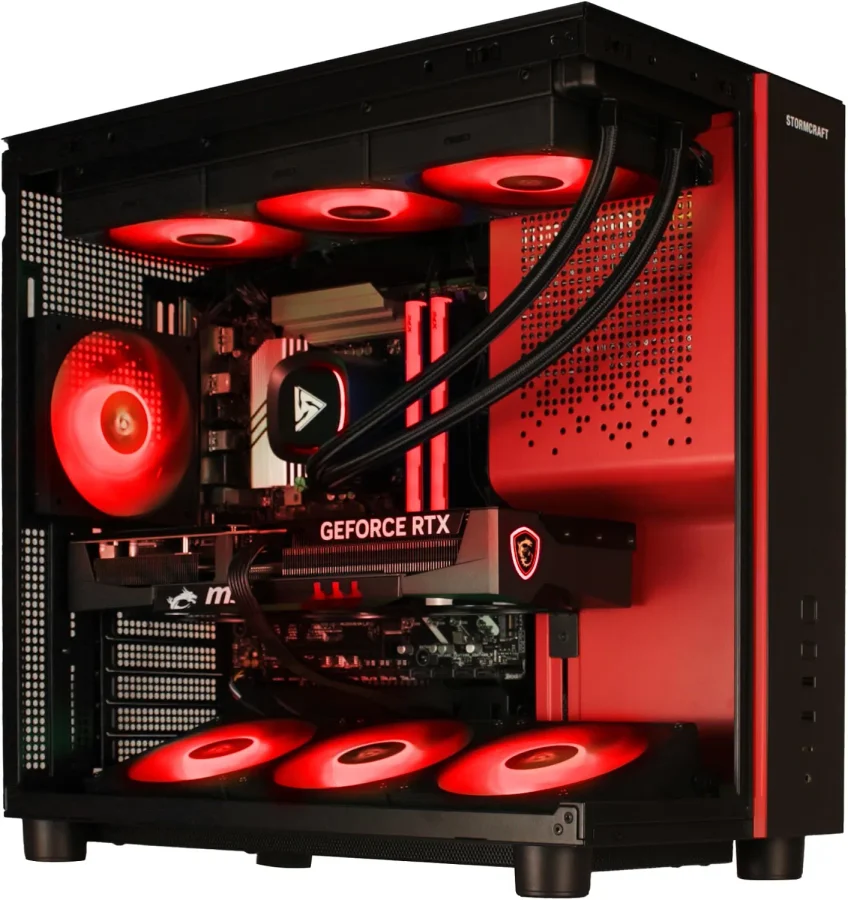
BEST FORGamers seeking a strong CPU, high-end GPU, and practical capacity together.
- Processor
- AMD Ryzen 7 9800X3D
- Graphics
- GeForce RTX 5080 · 16GB
- Memory
- 32GB DDR5-6000
- Storage
- 2TB NVMe SSD
- Power supply
- 850W
- Cooling
- 360mm AIO
Why this one earns its place
The Phantom pairs a Ryzen 7 9800X3D with an RTX 5080, doubles the Azure’s SSD to 2TB, and identifies a B850 motherboard chipset. It is a balanced premium configuration without paying for a Ryzen 9 simply for the name.
What to expect
This is a capable configuration for demanding gaming, including 4K. The newer CPU is most useful when the game can take advantage of it; it will not transform performance when the RTX 5080 is already the limiting component.
The trade-off
The extra $450 over the Azure does not change the graphics card. For GPU-limited 4K play, the cheaper Skytech can offer the more compelling value. Verify the builder’s support terms before committing to a premium purchase.
What the next tier changes
The $5,000 King 95 keeps this CPU and GPU, adding memory and storage rather than a new graphics tier.
Ryzen 7 9800X3D / GeForce RTX 5080 16GB
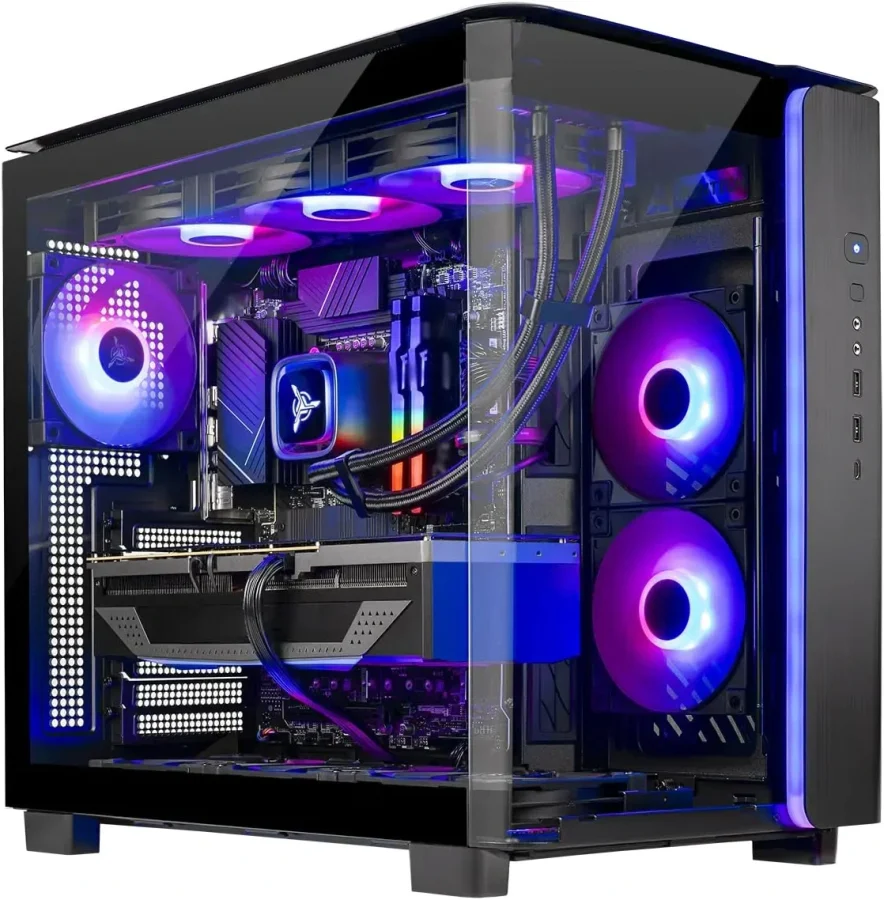
BEST FORPlayers with large game libraries and memory-heavy work alongside gaming.
- Processor
- AMD Ryzen 7 9800X3D
- Graphics
- GeForce RTX 5080 · 16GB
- Memory
- 64GB DDR5-6000
- Storage
- 4TB Gen4 NVMe SSD
- Power supply
- 850W Gold · ATX 3
- Cooling
- 360mm AIO
Why this one earns its place
The King 95 is the capacity pick: 64GB of DDR5-6000 and a 4TB Gen4 SSD alongside the 9800X3D and RTX 5080. It suits someone who knows why they need more room, rather than someone shopping by price alone.
What to expect
The graphics class is unchanged from the previous two PCs. More RAM helps when your apps actually need it, while the larger SSD keeps more games installed; neither should be mistaken for an automatic frame-rate upgrade.
The trade-off
The recorded $950 premium over the Phantom primarily buys memory and storage. For gaming alone, we would save the money and choose the $4,000-tier PC.
What the next tier changes
The $6,000 pick finally changes the GPU again, moving to an RTX 5090 with 32GB of graphics memory.
Core Ultra 9 285K / GeForce RTX 5090 32GBModel GXiVR8600A6
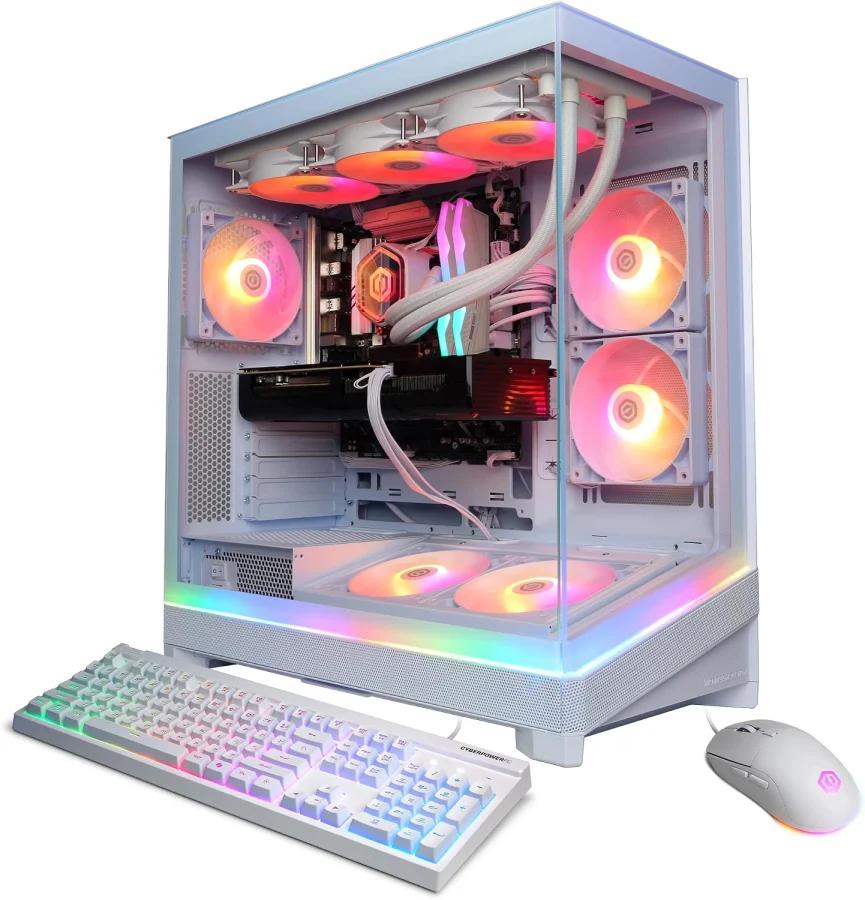
BEST FOREnthusiasts who can use flagship graphics for 4K, VR, or creative workloads.
- Processor
- Intel Core Ultra 9 285K
- Graphics
- GeForce RTX 5090 · 32GB
- Memory
- 64GB DDR5
- Storage
- 4TB PCIe 4.0 NVMe SSD
- Cooling
- Liquid cooled
Why this one earns its place
The RTX 5090 is the substantial hardware change here. Its 32GB of graphics memory, paired with a Core Ultra 9 285K, 64GB of RAM, and a 4TB SSD, makes this the shortlist’s most ambitious configuration.
What to expect
Consider it for demanding high-end 4K gaming, VR, or creative applications that can benefit from the GPU and its memory. Workload and settings still matter; a flagship GPU does not guarantee any particular frame rate.
The trade-off
At the recorded $5,979.99, this is a specialized purchase. Most players will get more sensible value by matching a cheaper PC to their monitor and games, then leaving budget for the rest of the setup.
Where to go from here
This is the end of the timeline. The next useful step is choosing the configuration that fits you, rather than spending more.